Authentication & Trusted Devices
Further information on Authentication, Trusted Devices, and troubleshooting.

In the Organisation's Multi-Factor Authentication settings, System Administrators can choose to apply the Trusted Devices option. This means users can choose to flag the device (and browser) they're using to log in to the Governance & Risk platform as their trusted option, and they'll not need to complete the MFA verification step again on that device for the period set.
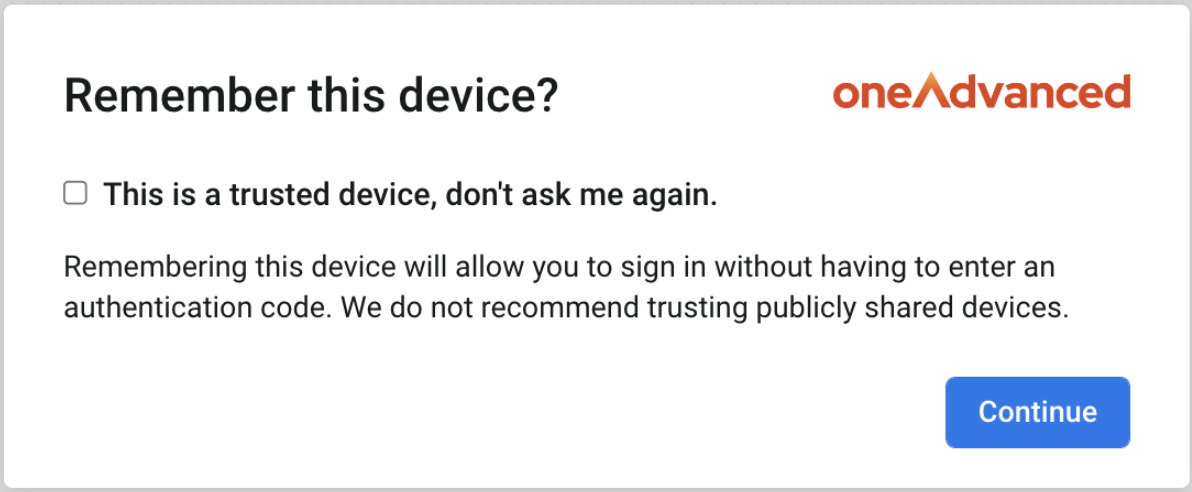
However, there are there are certain events which can 'reset' that trusted device period:
- clearing your browser history or cookies
- browser updates
- connecting to a VPN
- connecting via a different browser e.g. if you checked the Trusted Device option when logging in via Chrome, then use Edge for your next login, you should expect to encounter the MFA process again
- connecting via a different device e.g. if you checked the Trusted device option when logging in via your laptop, then next log in via your tablet, the trusted period will also reset.
Not all Organisations will have the Trusted device option enabled (e.g. some users may log in via a shared device), so Multi-Factor Authentication is necessary at each login. We understand this may feel frustrating, but MFA is an essential part of how we keep your data secure and while it's an extra step when accessing the system, it's a necessary one.
Being asked to authenticate after checking the Trusted Device option?
The trusted device period applies when the same browser and device is being used each time, so if a user selects that for Chrome on their laptop, then logs in via Safari on their iPad, they'll encounter the MFA code generation screen.
The reset could be caused by clearing browser history or cookies, or browser updates e.g. Chrome updating to the latest version, or if users connect to a VPN.
It might also be worth speaking with your IT Team to ask whether there might be some settings in place, for example clearing browser cookies automatically, that could be triggering the Trusted period to reset.
If you feel it's a persistent issue for your users, please log a case via our Service Centre, (https://services.oneadvanced.com/hub) providing an example of a user who is seeing the MFA screen multiple times despite choosing the trusted device option? This way, we can refer the issue to the Technical Team but they'll need to know the user (including email address), the browser they're using, which device (e.g. laptop/desktop), and a brief summary of what they're doing when this happens (e.g. did they leave the tab for a while then come back?).
Was this article useful?
Multi Factor Authentication - A Guide for Users
Uploading
